Signing in & getting oriented
Sign in, get to know the five areas, and pick the right website.
1 Sign in
The editing area lives inside your SiteFlow administration at
/admin/siteflow-cms. Your SiteFlow contact gives you the exact address; from your customer account the Zum CMS button takes you straight there. Enter your email address and password and click Einloggen (Log in). At the bottom of the form you switch the language of the interface (EN · FR · DE · PL).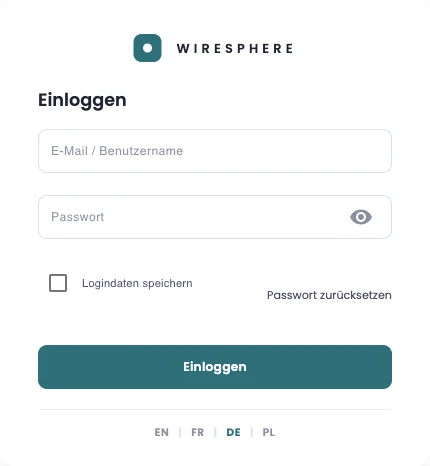
2 The “Inhalte” (Content) area
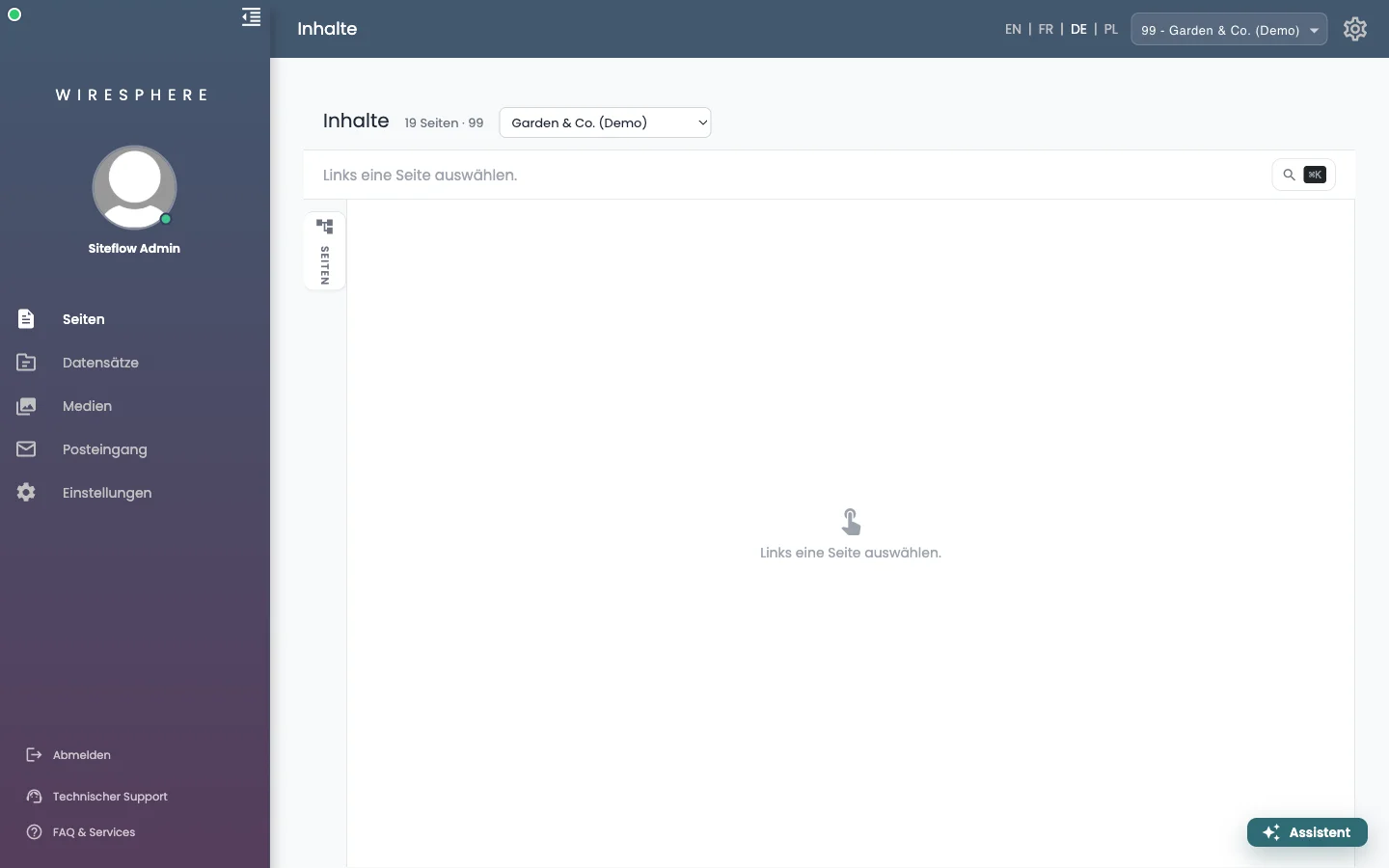
After signing in you land in Inhalte (Content). On the left are the five areas you work in:
- Seiten (Pages) — the page tree and the page editor. This is where you spend most of your time.
- Datensätze (Records) — articles, categories, projects, people, services, reviews.
- Medien (Media) — every image and file on your website.
- Posteingang (Inbox) — what visitors send through your forms.
- Einstellungen (Settings) — company details, logo, colours, fonts.
3 Choose the right website
If you look after several websites, a picker sits next to the heading. Use it to choose which site you are editing — everything you create or change afterwards belongs to it. The choice is remembered until you switch it, and every area (Pages, Media, Inbox, Settings) carries the same picker. With only one website it stays hidden.